
 My Page
Online check-in
What is online check-in?
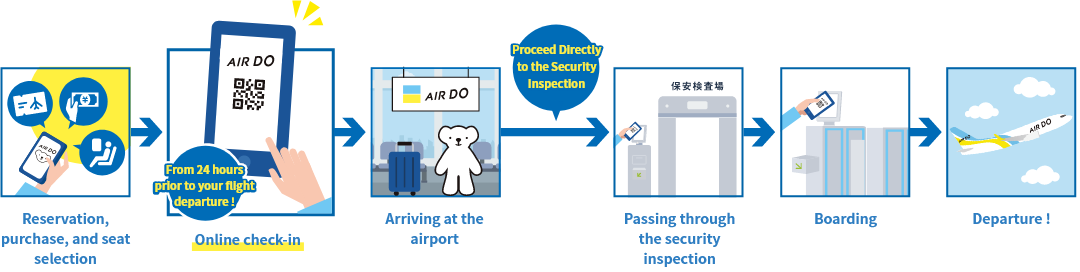
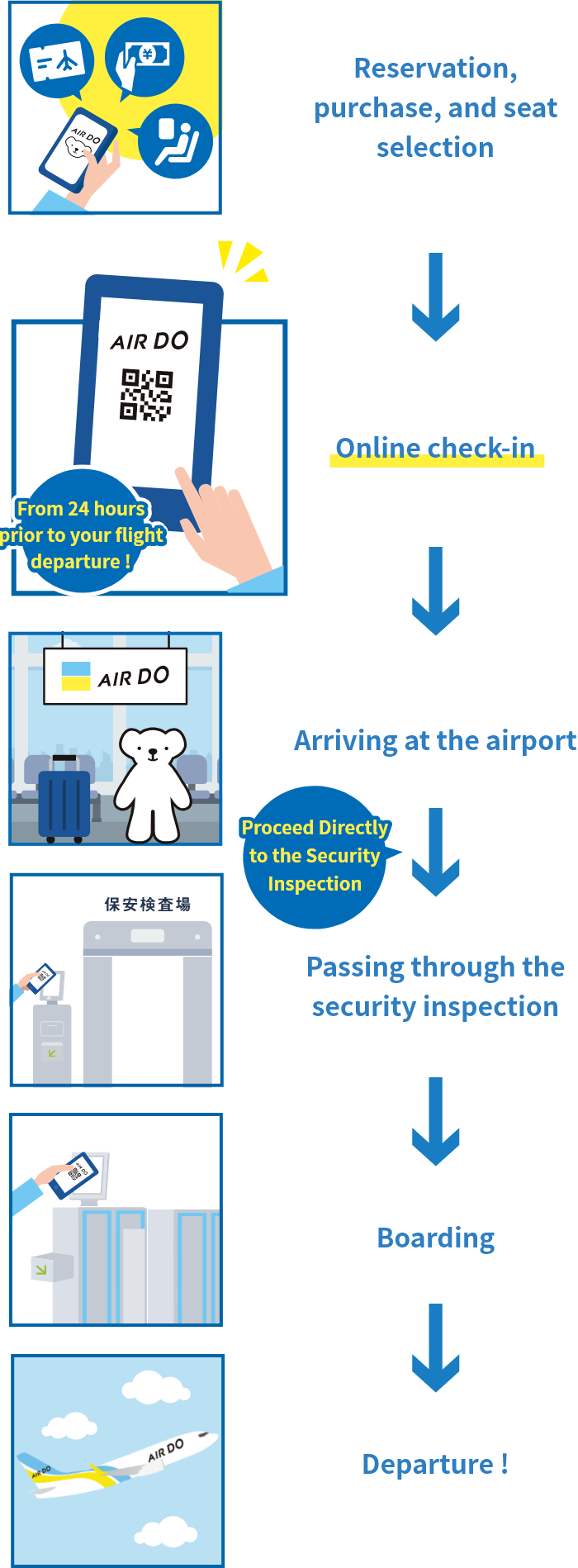
Online check-in is a service that can be used to complete boarding procedures and issue a boarding pass up to 24 hours prior to your flight's departure.
Boarding process
STEP1Please complete reservation, purchase, and seat selection
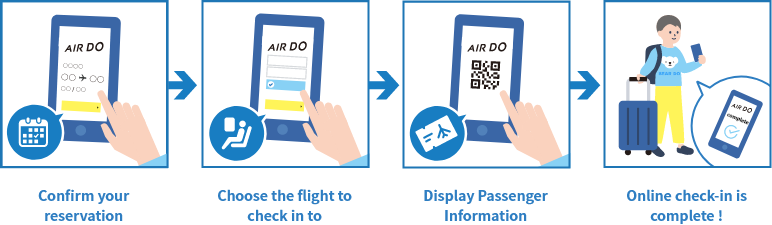
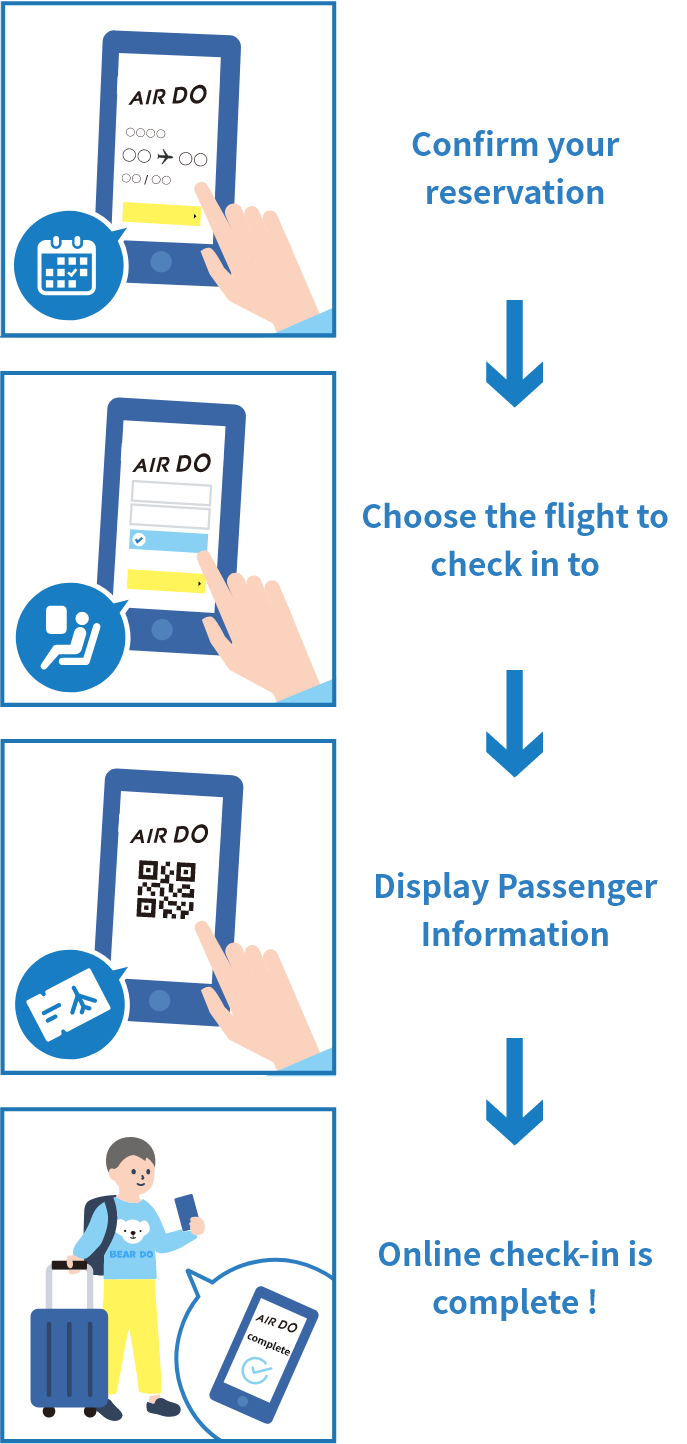
STEP2Online check-in, Getting a boarding pass
Available up to 24 hours prior to departure.
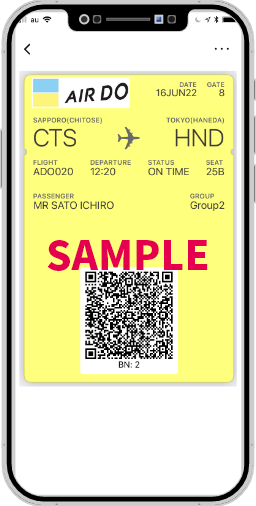
Apple Wallet
Android
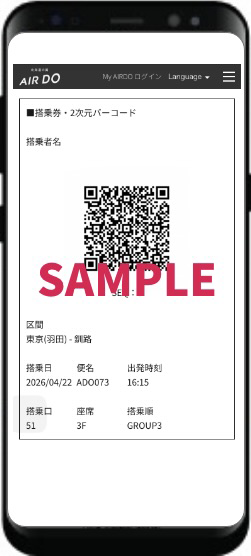
You can board using the 2D barcode displayed on your mobile device. (Cannot be printed).
If you receive your ticket by email: We will send, to the email address you registered, an email containing a link to a 2D barcode.
Please download and use the barcode from the link provided in that email.
Apple Wallet:You can add your mobile boarding pass to Apple's Apple Wallet application for iPhone (iOS version 9.0 and above).
- Note:
- Recommended device environment
- iPhone/iPad:safari
- Android:chrome

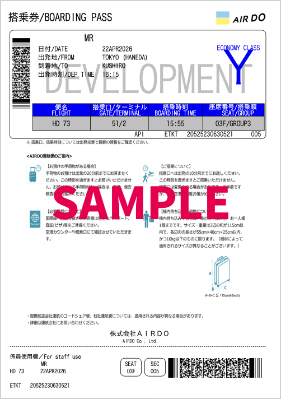
Important information when printing
The 2D barcode must be printed on the boarding pass.
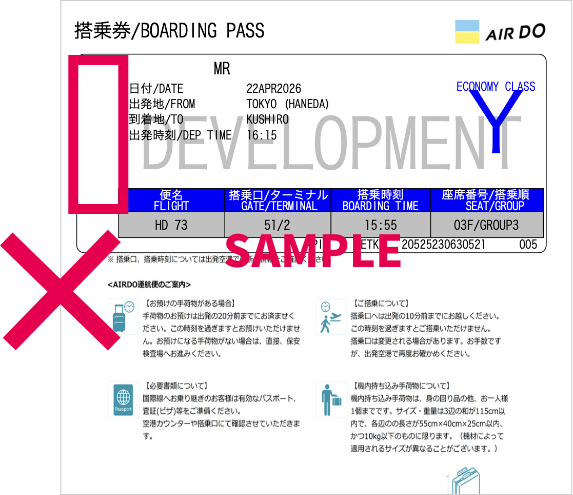
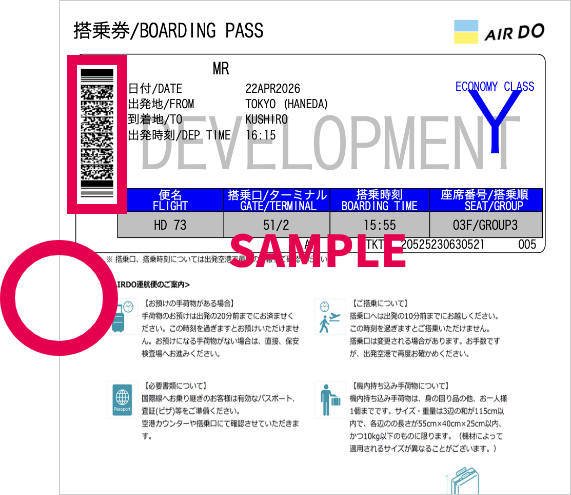
Print out your boarding pass and bring it with you on your day of departure.
STEP3Proceed to the security inspection
When you arrive at the airport, proceed directly to the security inspection
Please scan your boarding pass at the reader at least 20 mins before departure time.
- Note:
-
- If you are checking-in baggage, please check them at the self-service baggage drop or the baggage counter before passing through the security inspection.
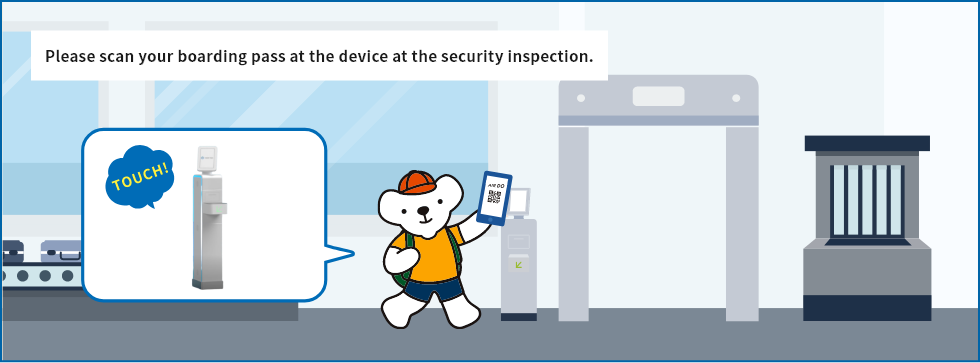
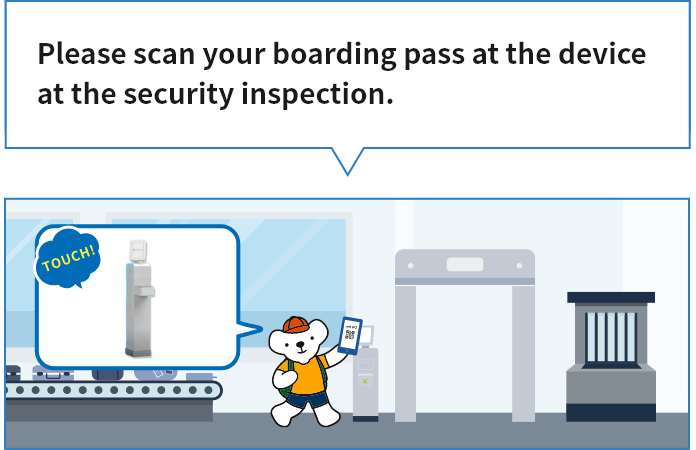
If you are using a smartphone, please take a screenshot of the boarding pass with the 2D barcode, and use this for the boarding process.
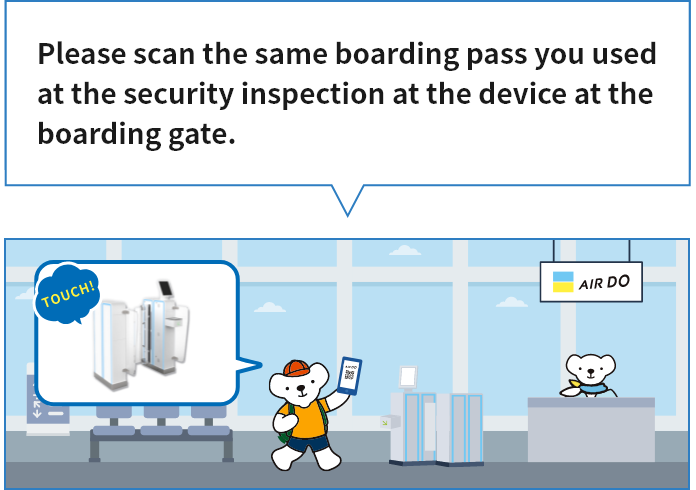
STEP4Proceed to the boarding gate
Please board at least 10 minutes prior to departure.You will not be allowed to board after this time.
- Note:
-
- Departure time is the time that the airplane begins to move.
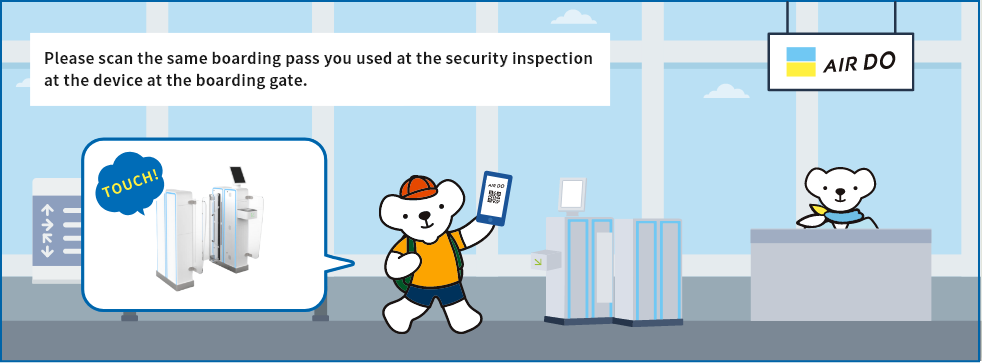
Please see here for information regarding boarding order.
Online check-in is not available in the following cases
Online check-in may not be available depending on the fare type and reservation details.
Please complete the necessary procedures at the airport counter and clear the security inspection at least 20 mins before departure.
◆ Fares with which online check-in cannot be used
| Fares | Online check-in availability |
|---|---|
| Disability Discount Fare | △※1 |
| DOMIN Fare | △※2 |
| DO Youth 25 | △※3 |
| DO Senior 65 | △※3 |
| Job Hunting Support Discount Fare | △※4 |
- ※1 In order to apply the Disability Discount Fare, we will verify your certification documents at the departure airport for the first flight of your itinerary. If your reservation contains multiple flights, you may use online check-in for the second and subsequent flights.However, if you purchased your ticket at a travel agency or airport counter, you can use online check-in from your first flight, as long as you satisfy the requirements, such as presenting the proper certification documents for verification.
- ※2 If you have completed full registration before purchasing your ticket, you can use online check-in. If you purchased your ticket with a provisional registration, you can only check in online for subsequent segments at the Hokkaido Resident Discount fare if you have already flown the first segment at that fare. If you booked the first segment at a fare other than the Hokkaido Resident Discount fare, you will not be able to use online check-in even if you complete full registration before your departure date.
- ※3 Online check-in is only available for passengers who have registered their date of birth or registered their AIRDO card in My Page in advance. In addition to the above, if procedures done by staff such as confirmation of identification are necessary, online check-in cannot be used.
- ※4 We will verify your Authorization Letter and Student ID at the departure airport for the first flight of your itinerary.If your reservation contains multiple flights, you may use online check-in for the second and subsequent flights.
Certain fares and discounts require you to complete a verification procedure at the airport counter on the day of departure, after you have completed online check-in.
Please complete the necessary procedures at the airport counter and clear the security inspection at least 20 mins before departure.
◆ Fares and discounts that require confirmation after online check-in
| Fares | Online check-in availability |
|---|---|
| Disability Discount Fare | △※1 |
| DOMIN Fare | △※2 |
| DO Youth 25 | △※3 |
| DO Senior 65 | △※3 |
| Job Hunting Support Discount Fare | △※4 |
- ※1 In order to apply the Disability Discount Fare, we will verify your certification documents at the departure airport for the first flight of your itinerary. If your reservation contains multiple flights, you may use online check-in for the second and subsequent flights.However, if you purchased your ticket at a travel agency or airport counter, you can use online check-in from your first flight, as long as you satisfy the requirements, such as presenting the proper certification documents for verification.
- ※2 If you have completed full registration before purchasing your ticket, you can use online check-in. If you purchased your ticket with a provisional registration, you can only check in online for subsequent segments at the Hokkaido Resident Discount fare if you have already flown the first segment at that fare. If you booked the first segment at a fare other than the Hokkaido Resident Discount fare, you will not be able to use online check-in even if you complete full registration before your departure date.
- ※3 Online check-in is only available for passengers who have registered their date of birth or registered their AIRDO card in My Page in advance. In addition to the above, if procedures done by staff such as confirmation of identification are necessary, online check-in cannot be used.
- ※4 We will verify your Authorization Letter and Student ID at the departure airport for the first flight of your itinerary.If your reservation contains multiple flights, you may use online check-in for the second and subsequent flights.
【Important】
- If you cancel your reservation after checking in online, your reserved seat will be cancelled at the same time. Please reselect your seat when you check in online again.
- Changes to reservations cannot be made after online check-in is completed. To make changes, please cancel the online check-in first.
- Online check-in and cancellation of online check-in are not available at the Reservation and Information Center. Passengers are requested to complete the procedures themselves.
